Get more Google reviews with a QR code on your counter

Customers scan, tap the stars and post on Google in seconds, starting from a review you wrote, in English, हिंदी or Hinglish. If someone is unhappy, they can tell you privately first, so you can fix it.

Start free, 7 days

No card needed.

  • Printed Google review standee, free with any plan
  • Nothing for your customers to install
  • Pay once, no auto-renew
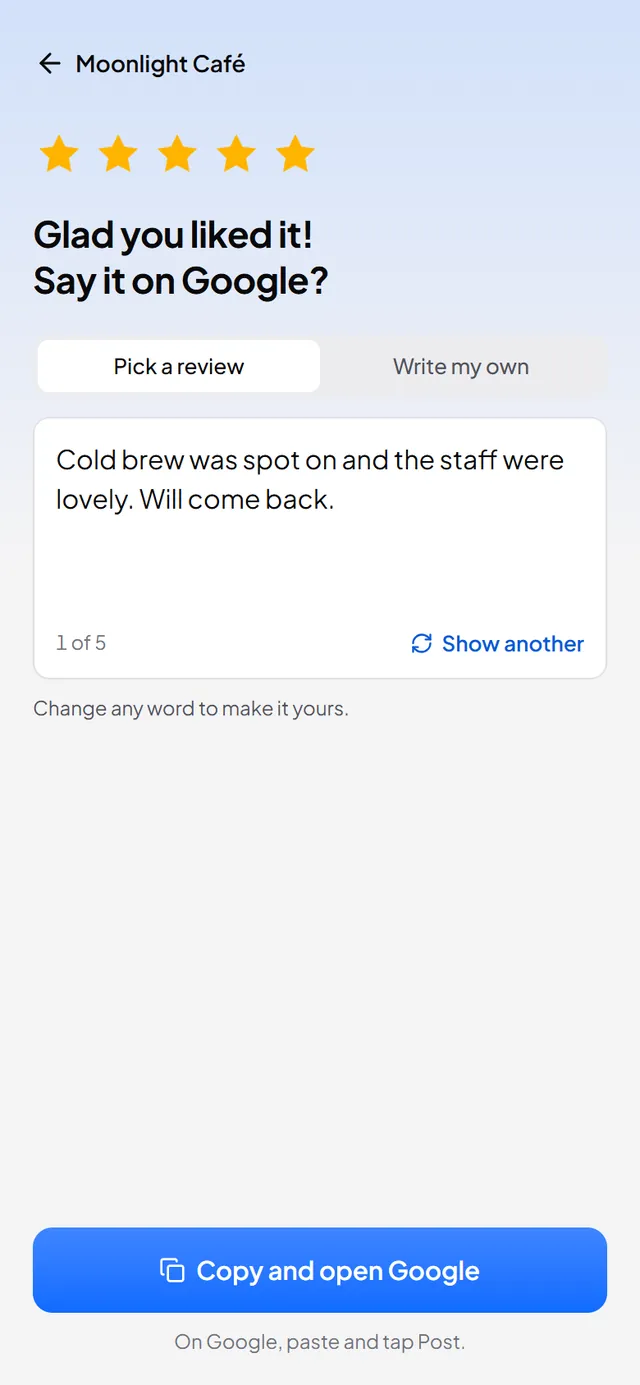
After scanning the Google review QR code: a ready review to copy, and Copy and open Google
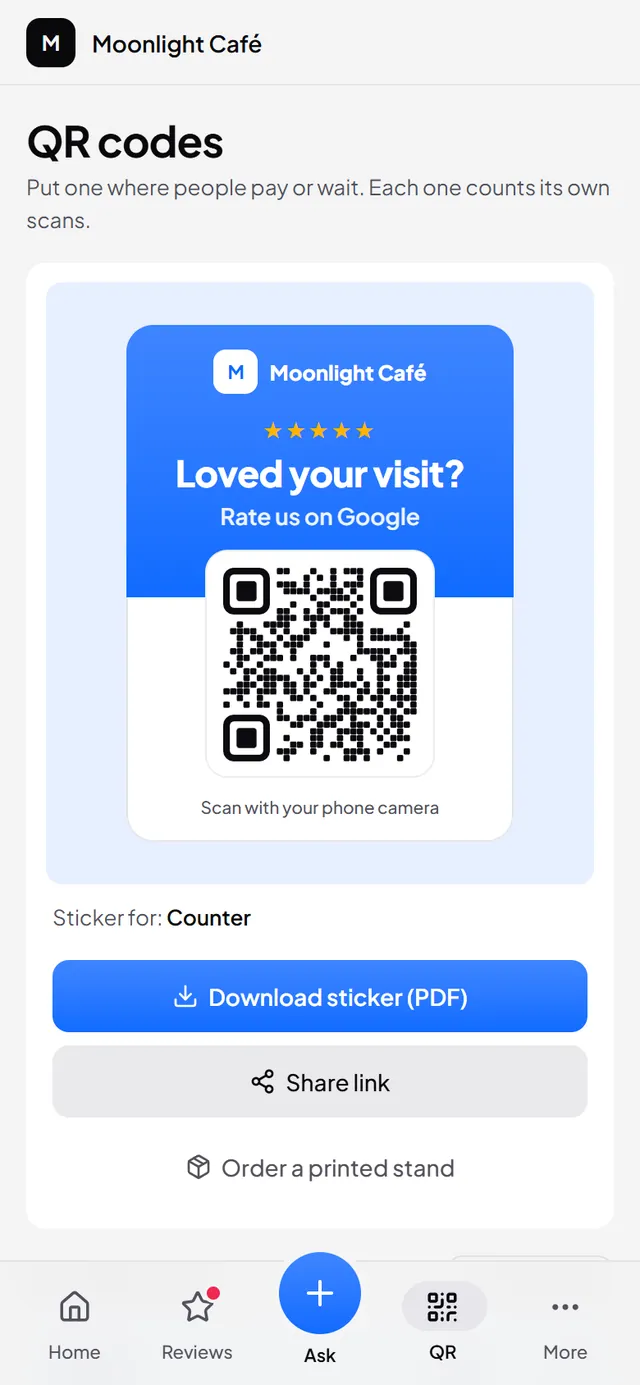
Moonlight Café

Loved your visit?

Rate us on Google

Scan with your phone camera
Posted on GooglePSPriya S.just now★★★★★

Cold brew was spot on and the staff were lovely. Will come back.

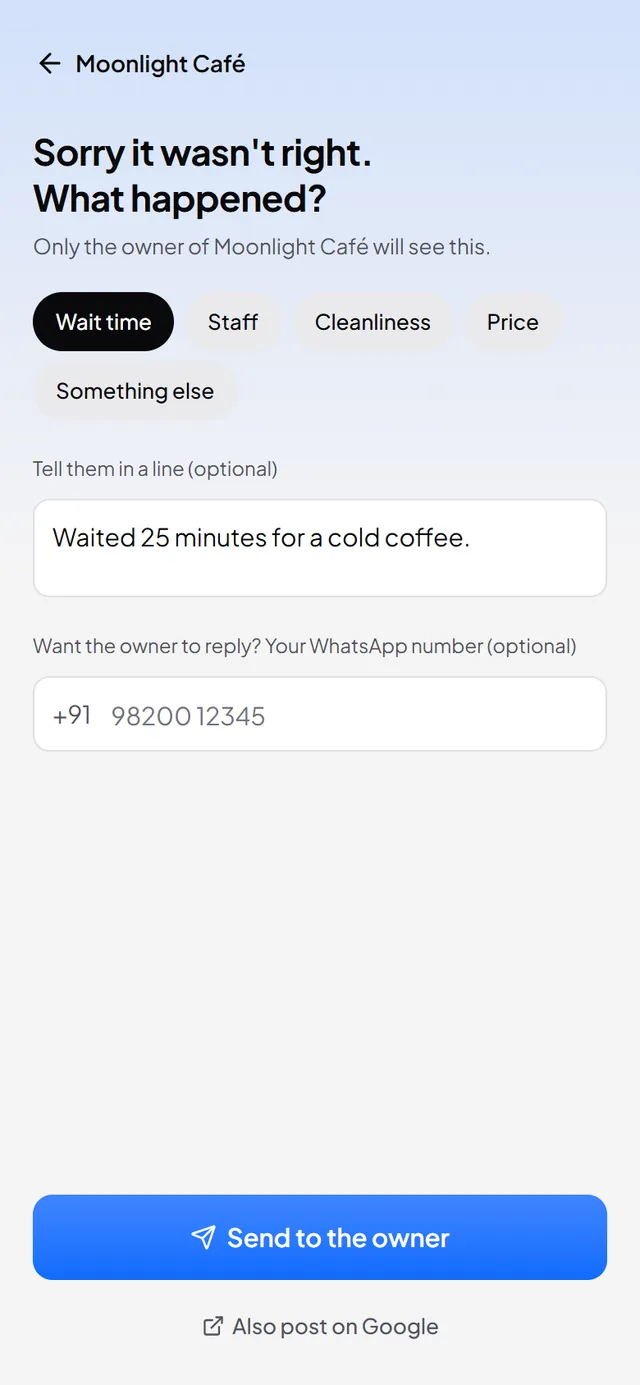
Only you see thisGetReviewsnowNew complaint · Wait time

Waited 25 minutes for a cold coffee.

Scan the sticker to try it as a customerTry it as a customerReal app screens for a sample café

Why your shop has fewer Google reviews than it deserves

Happy customers leave quietly. The unhappy ones are the ones who write.

  • They forgetYour regulars love you, but nobody opens Google on the way out.
  • They don't know what to writeAn empty review box stops most people at the first line.
  • You hear about it lastOne bad day goes on Google and stays there for months, before you even knew.

How the Google review QR code works

From your counter to Google in three steps.

  1. 1

    Put the review QR code on your counter

    Print the sticker from the app, or get a printed standee free with a paid plan. Add more for tables, the takeaway window or your Instagram bio.

    QR codes screen in the GetReviews app, with the Google review QR sticker ready to download
  2. 2

    Customers tap the stars

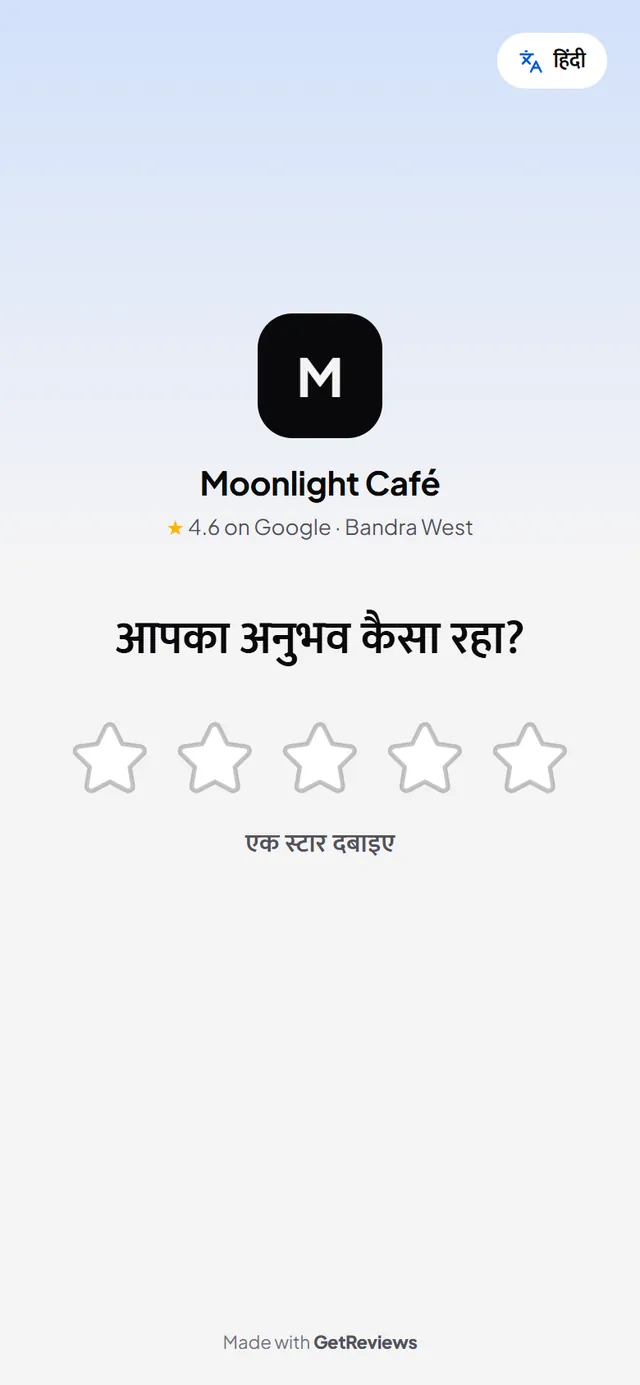
    No app, no login. The phone camera opens your page, with your name and logo, in English, हिंदी or Hinglish.

    The review page in Hindi: five stars to rate the visit
  3. 3

    Happy ones post on Google. Unhappy ones tell you.

    4–5 stars

    They pick one of your ready reviews, change any word, and post it on Google.

    4 or 5 stars: a ready Google review to edit, then Copy and open Google
    1–3 stars

    They tell you what went wrong, privately. "Also post on Google" stays right there on the screen.

    1 to 3 stars: a private complaint to the owner, with Also post on Google

    Nobody is ever kept away from Google. Hearing it first is an extra, never a gate.

More than a plain QR code

Everything you need to collect Google reviews and handle complaints, made for a busy counter and run from your phone.

Ready-made reviews to copy

Write a few true lines about what you're good at. Happy customers pick one, make it theirs, and post. Or write their own.
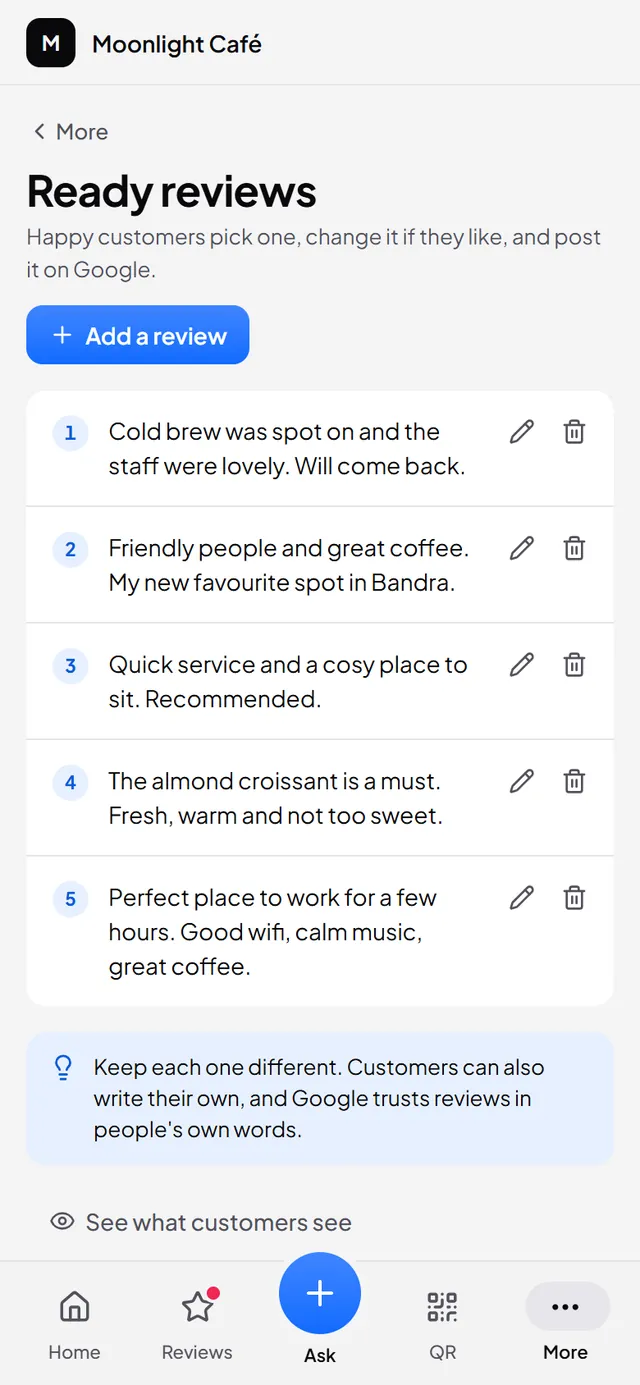
Ready-made Google reviews the owner wrote, in the GetReviews app

A complaints inbox, with WhatsApp reply

Every 1 to 3 star note lands in your inbox. If they left a number, reply on WhatsApp in one tap, with the message already written.
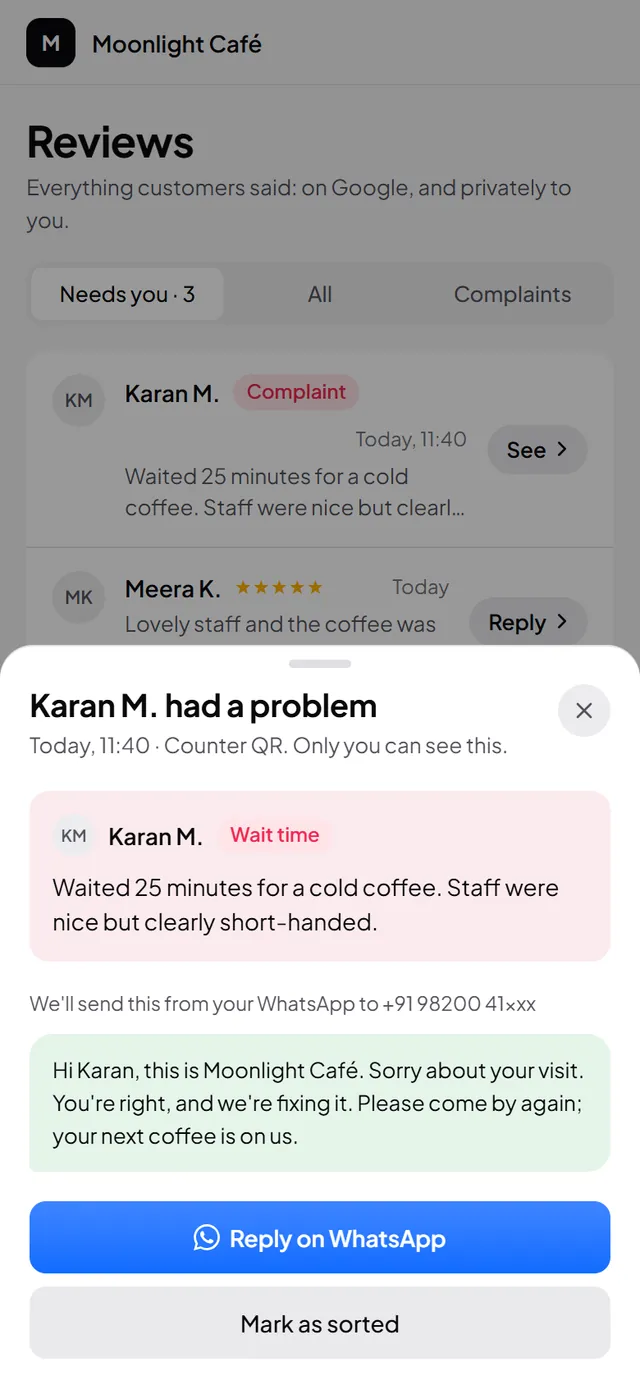
A customer complaint in the app, with a ready apology and Reply on WhatsApp

A QR code for every table and counter

Counter, Table 4, the takeaway window. Each QR counts its own scans, so you see which spot brings reviews.
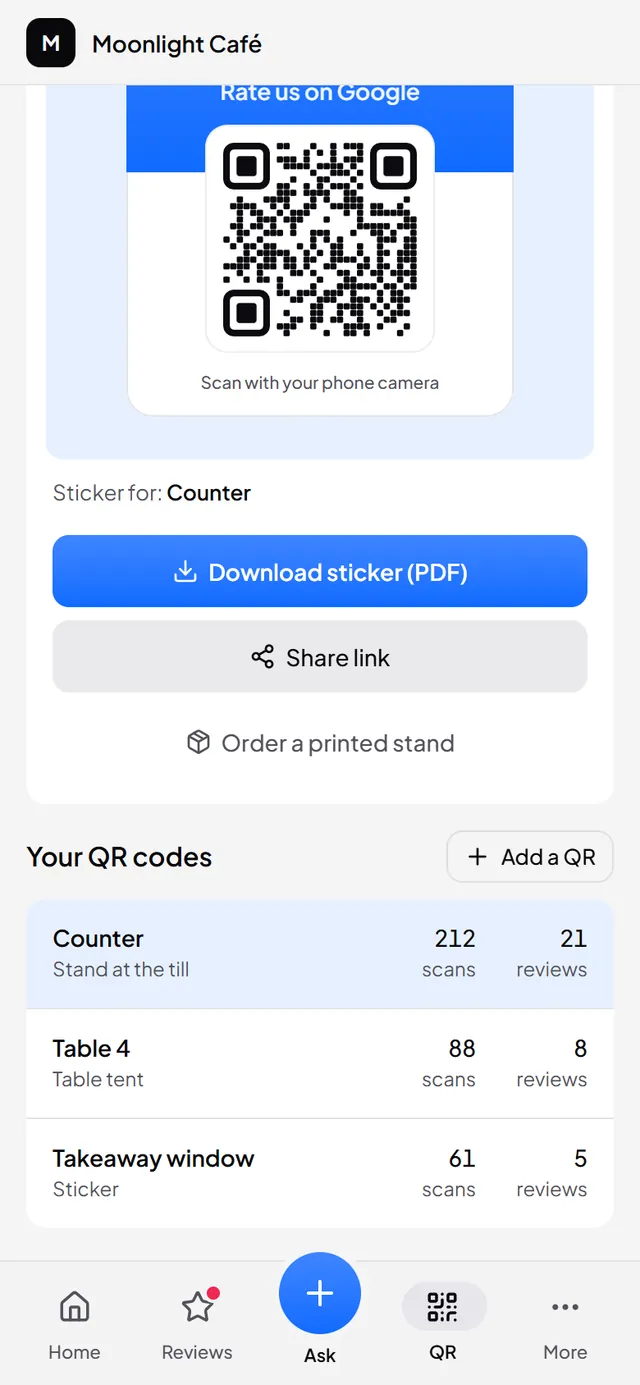
List of review QR codes, each with its own scans

Google review standee, free

Print the QR sticker at any print shop today. Paid plans get a printed acrylic standee with your name and QR, shipped free in 3–5 days.
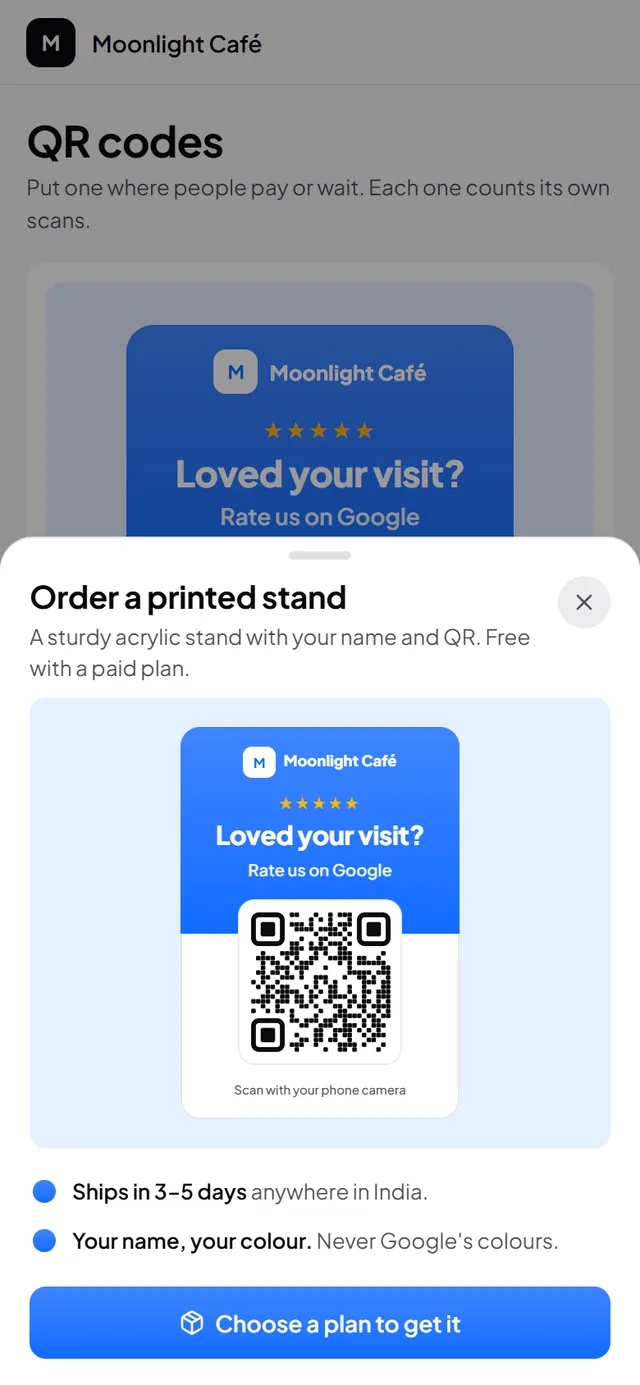
Google review QR code standee: an acrylic standee with the business name and QR code

Ask for a review on WhatsApp

After a visit, send a customer your review link from your own WhatsApp. The message is ready; you tap send.
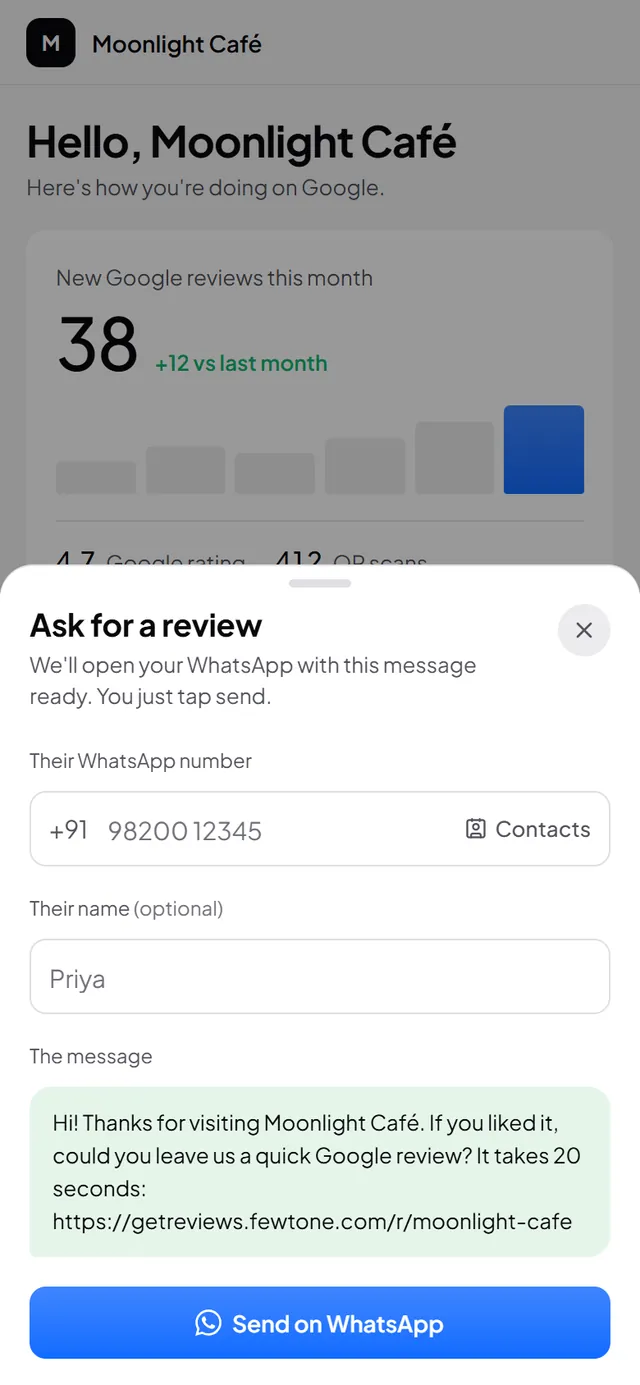
Ask for a Google review on WhatsApp: number, name and a ready message

Alerts the moment it happens

A push on your phone and an email for every new complaint.

English, हिंदी and Hinglish

The review page speaks English, हिंदी and Hinglish. One tap switches.

  • EnglishHow was your visit?
  • हिंदीआपका अनुभव कैसा रहा?
  • HinglishAapka visit kaisa raha?

An app, without the app store

Add GetReviews to your home screen from the browser. It opens like an app and brings your alerts.

Coming soon

Your Google reviews inside the app

See every Google review and reply from GetReviews. It's built and waiting for Google's approval; we'll switch it on as soon as it comes.

Google's free review QR code, or GetReviews?

Google gives every business a free review link and QR code. It works. Here's what it leaves to you.

Google's free QRGetReviews
What customers seeGoogle's review formYour page, with your name and logo
What to writeThey start from a blank boxThey pick a review you wrote and change any word
LanguageWhatever their Google is set toEnglish, हिंदी or Hinglish, one tap
An unhappy customerPosts on Google, or leavesCan tell you privately first, and can still post on Google
Which spot worksNo countEach QR counts its own scans
On the counterYou design and print itReady sticker, and a printed standee free with a plan
PriceFree7 days free, then ₹1,999 a year or ₹4,999 once

How to increase Google reviews for your business

Ask at the moment people are happiest, and put the QR where they wait or pay. What works, by kind of business:

  • Restaurants and cafés

    Put a QR on every table and the bill folder. People scan while they wait for the bill, the moment the meal still feels good.

  • Salons and spas

    Keep the standee at the payment desk and a sticker at the mirror, right when the new look feels best.

  • Clinics and dentists

    Use reception and checkout. Patients who had a worry can tell you privately first, instead of in public.

  • Gyms and studios

    By the entrance and the water station. Members come every day, so ask after a good session, not on day one.

  • Shops and showrooms

    At the billing counter, and on the carry bag or receipt so customers can review once they've used it.

New, and honest about it

GetReviews is new, so you won't find big numbers or star ratings from us yet. Here's what we can promise instead.

  • Every customer can post on GoogleWhatever stars they tap. We never hide or filter a review.
  • Your customers need nothingNo app, no login. Just the phone camera.
  • Your name on everythingThe page and the sticker show your business, not ours.
  • Pay onceNo auto-renew, no monthly bills. And you try it free first.

Simple pricing. Try it free for 7 days

No card needed. If you like it, pay once. Nothing renews on its own.

Yearly

Best value

₹1,999for 12 months

From ₹167 a month

  • Unlimited reviews and QR codes
  • Printed Google review standee, free
  • Alerts on your phone and email

Lifetime

₹4,999one time

Pay once, keep it

  • Everything in Yearly, forever
  • Every future update
  • Printed Google review standee, free
Start free, 7 days

UPI, cards or net banking. GST included.

Questions about Google reviews and GetReviews

Your next happy customer is at the counter right now

Start free today. Sticker print karo, counter pe lagao.

Start free, 7 days

Free for 7 days. No card needed.

GetReviewsa FewTone ProductGetReviews: Google review QR codes for cafés, salons, clinics, gyms and shops in India. © 2026 FewTone. Not made by or affiliated with Google.